Ordering Pronoun Ribbons
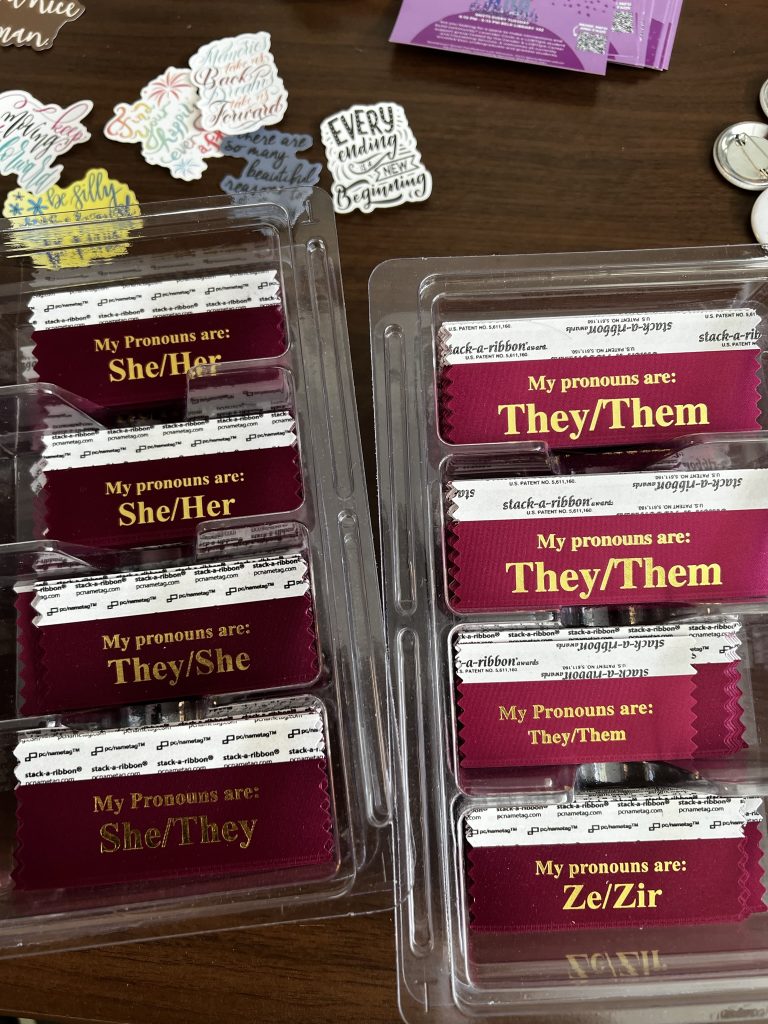
Several offices across campus at ÂÒÂ×ÊÓƵ utilize pronoun ribbons for conferences or displaying them alongside a name tag. They are maroon ribbons with gold letters and say “My pronouns areâ€� and then a pronoun set on the second line.
The ordering instructions the Gender and LGBTQIA Center use are below as well as an example of what the pronoun ribbons look like. Below are 2 size options and what is highlighted in yellow is the size we chose.
If you have any questions, please email glc@elon.edu. We have found great success in using these ribbons and students have commented on how wonderful it is to see their pronouns on a ribbon. Note: the list of pronouns below is not a complete or exhaustive list and over the years we have added additional pronoun sets to meet students’ needs.
Ordering Pronoun Ribbons:
Here is the link for different sizes (we order the one highlighted in yellow).
- 3’ x 1-��-
- 3.5’ x 1-â…�â€� –Â
This is the customization we utilize when we order pronoun ribbons:
Ribbon Color: Maroon (3rd row and third option)
Imprint Color: Gold
To set up the text, you will perform the below action twice
To add text:Â Select ‘Times New Roman’, Font Size: Standard then 18, Character Spacing 0, then click ‘Add Text Box’
Text line #1: Click ‘Insert Text Here’in ribbon graphic and change text to say ‘My Pronouns are:’. You will drag the text box to adjust placement of text line on ribbon.
Text line #2: [Repeat ‘To add text’] Click ‘Insert Text Here’ ‘and change text to any of the pronoun list below “Pronoun/pronounâ€� in Bold, Times New Roman, size 33, Gold NOTE: replace “Pronoun/pronoun’ with a pronoun set from the below list
Click ‘Review Design’ > Chose approve artwork or request proof > (If approve artwork) Adjust quantity to desired amount > Click ‘Add to Art’
Here is a pronoun list we recommend ordering:
- she/her
- he/him
- she/they
- they/she
- he/they
- they/he
- ze/zir
- ze/hir
- any prounon
- Ask me my prounouns (this would be on text line #1 and text line #2)
Example of what the pronoun ribbons look like: